
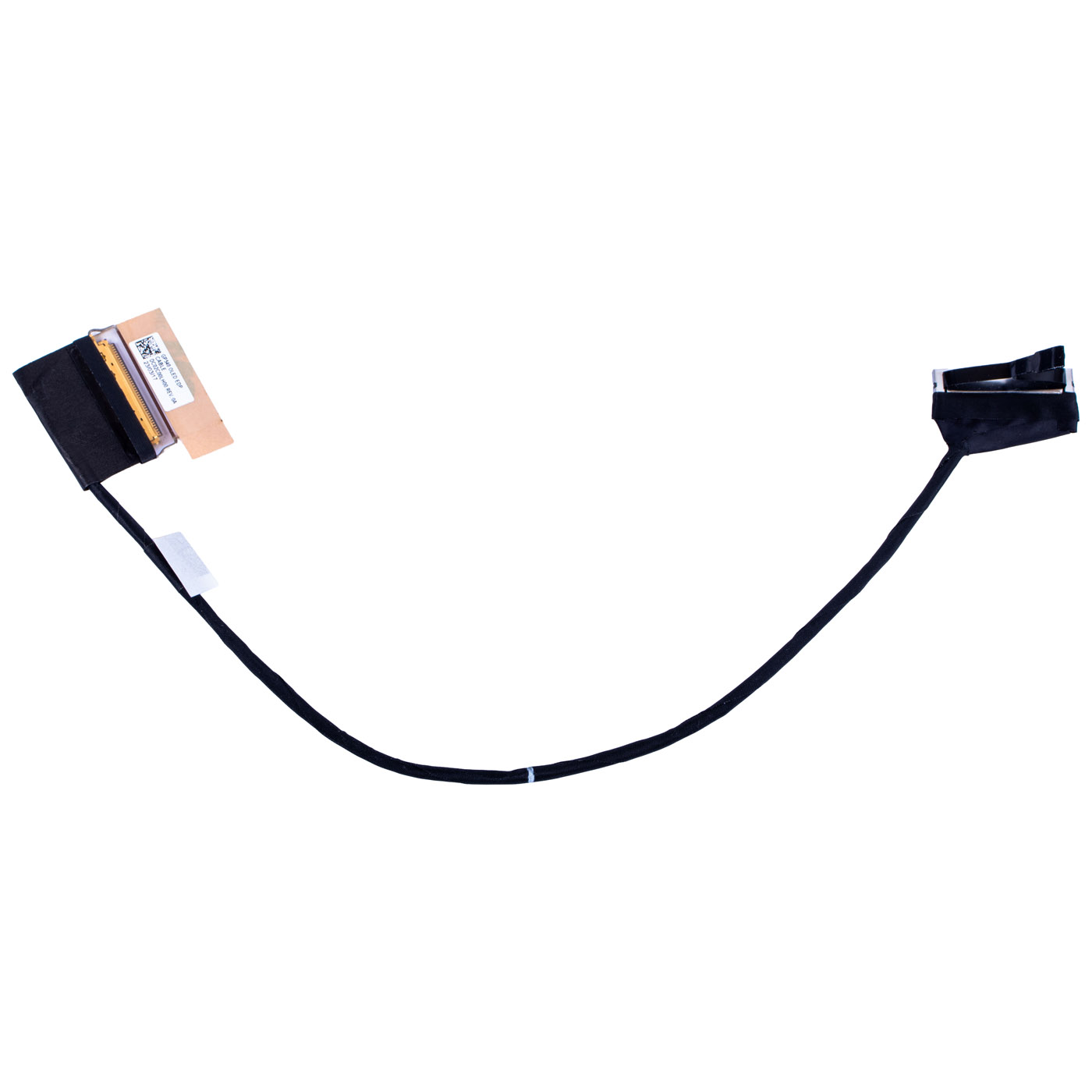
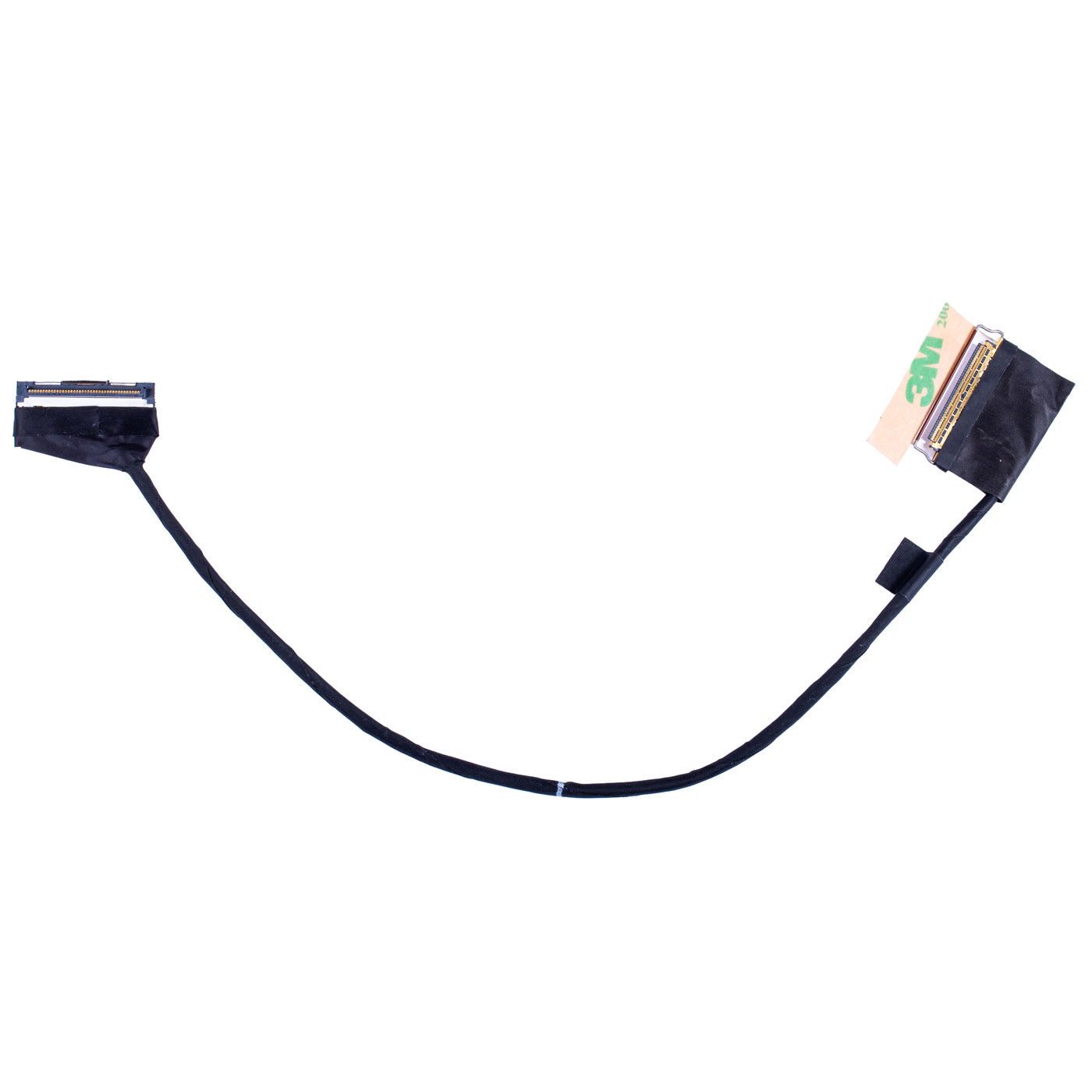
LCD eDP Cable for Lenovo ThinkPad P15 Gen 1 UHD OLED
The original product, new one.
🔧 LCD eDP Display Cable for Lenovo ThinkPad P15 Gen 1 (UHD OLED) 🔧
🖥️ Lenovo ThinkPad P15 Gen 1 | LCD eDP Display Cable | UHD OLED | DC02C00LH00
⚙️ PRODUCT DESCRIPTION
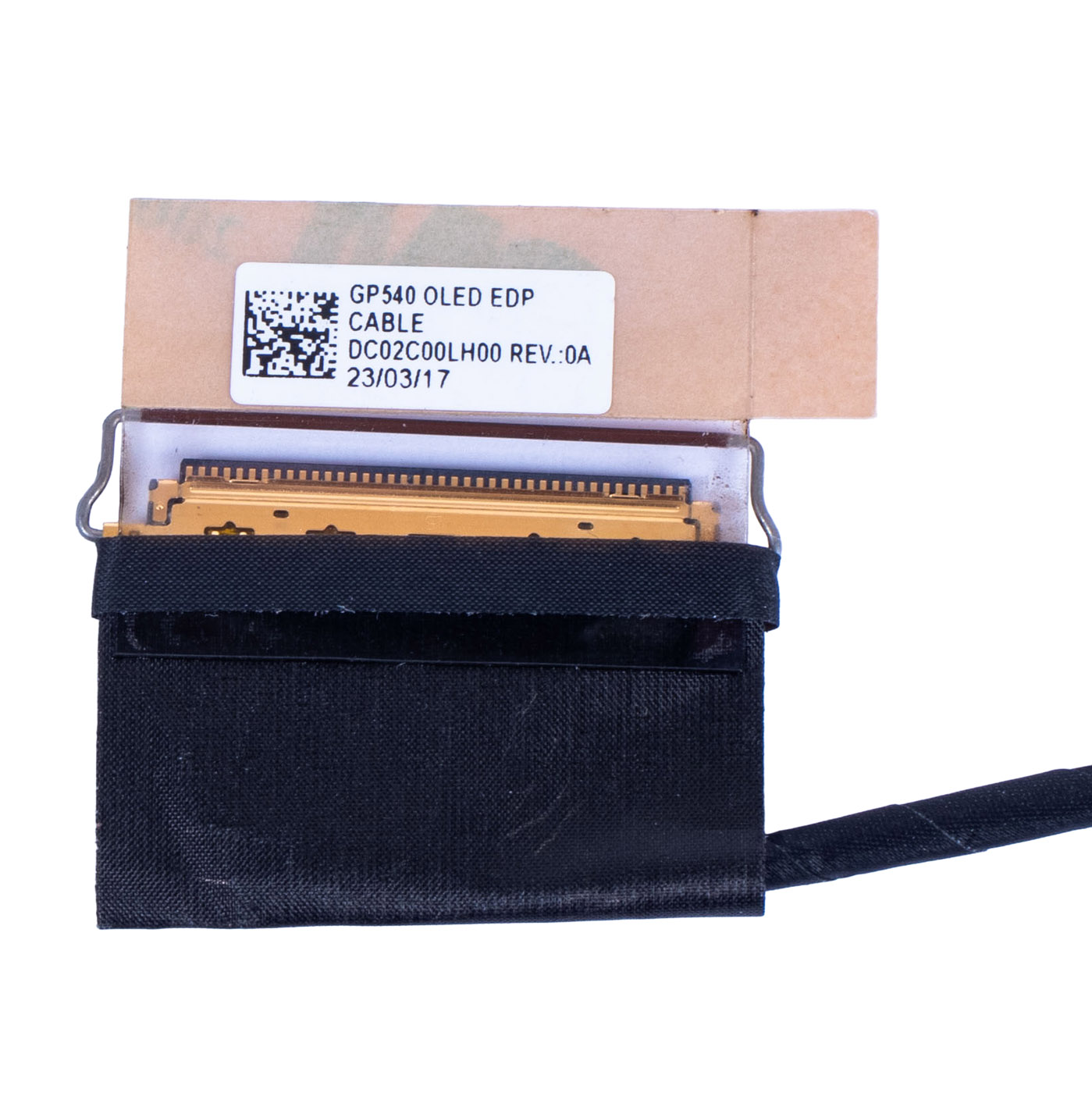
Brand new, original LCD eDP display cable for Lenovo ThinkPad P15 Gen 1 laptops equipped with a UHD OLED screen. The cable, marked GP540 OLED EDP CABLE, transmits the video signal between the motherboard and the OLED panel. It ensures stable image transmission at UHD (4K) resolution with full OLED technology support. The part with FRU number 5C10Z23873 guarantees full compatibility with the specified ThinkPad model with a UHD OLED panel.📋 TECHNICAL SPECIFICATIONS
Type: LCD eDP Display CableBrand: Lenovo
Compatibility: ThinkPad P15 Gen 1 (UHD OLED)
Cable model: DC02C00LH00
Label: GP540 OLED EDP CABLE
Resolution: UHD (4K)
Panel type: OLED
Condition: New
🔑 KEY ADVANTAGES
🔹 Original OEM part — guaranteed perfect fit and full compatibility🔹 Dedicated UHD OLED cable — designed specifically for OLED panels in ThinkPad P15 Gen 1
🔹 4K OLED support — stable signal transmission at full resolution with OLED color depth
🔹 Brand new — guaranteed reliability and long service life
🔹 Direct plug-and-play replacement — no modifications or soldering required
🔢 PART NUMBERS
FRU: 5C10Z23873Alternatives: DC02C00LH00
❓ WHEN TO REPLACE THE LCD eDP CABLE?
• No image on screen — display remains black despite the laptop being powered on• Screen flickering — unstable image, intermittent flickering during use
• Horizontal or vertical lines — lines or artifacts appearing on the display
• Partial image loss — parts of the screen are dark or distorted
• Incorrect colors or contrast — distortions characteristic of a damaged connection to the OLED panel
• Mechanical cable damage — bends, cracks, or broken wiring
🔧 INSTALLATION GUIDE
1. Shut down the laptop and disconnect the power adapter.2. Remove the battery or disconnect its cable from the motherboard.
3. Remove the display bezel — start from a bottom corner, gently pry with a plastic spudger and work around the entire frame.
4. Unscrew the bolts securing the LCD panel to the lid (typically 4 screws in the corners).
5. Carefully tilt the panel forward and rest it face-down on the keyboard.
6. Disconnect the old eDP cable from the panel connector — lift the locking tab and pull out the cable.
7. Peel off the adhesive tape securing the cable along the chassis and disconnect the other end from the motherboard connector.
8. Connect the new cable to the motherboard connector and secure it with adhesive tape.
9. Connect the other end to the panel connector and close the locking tab.
10. Reassemble the laptop in reverse order, tighten the screws and snap the bezel back into place.
11. Power on the laptop and verify the display image is correct.
Replacement is recommended to be performed by a qualified technician or a person experienced in laptop repairs. OLED panels are extremely sensitive to pressure — use plastic prying tools and exercise extra caution when tilting the display panel.
🎯 APPLICATION
LCD eDP display cable dedicated to Lenovo ThinkPad P15 Gen 1 laptops with a UHD OLED screen. Original part numbers guarantee a perfect fit for this model and screen variant. Restores correct video signal transmission and ensures stable UHD image quality in OLED technology. Note: OLED, FHD, and UHD IPS variants require different cables — verify your exact panel type before ordering.✅ COMPATIBILITY GUARANTEE
The offered part has been carefully verified and selected for the Lenovo ThinkPad P15 Gen 1 with UHD OLED panel. We guarantee full compatibility with FRU number 5C10Z23873. The exact appearance and condition of the item are shown in the listing photos. In case of any compatibility issues, we offer a hassle-free return within 14 days.📞 NEED HELP? CONTACT OUR EXPERTS!
Do you have questions about the compatibility of the display cable with your Lenovo ThinkPad laptop? Our specialists are happy to help you choose the right part and provide installation guidance. Contact us!📱 Phone: +48-601-415357
📧 Email: sklep@abcdeal.pl
📦 ABCDEAL - Your Trusted Lenovo Parts Specialist
We have been specializing in supplying original Lenovo laptop parts for years. Our experience allows us to offer the highest quality products that meet the expectations of even the most demanding customers. Trust the experts and choose the display cable that will restore the perfect image to your Lenovo ThinkPad.🎯 Choose professionals — invest in quality!
By choosing the original LCD eDP display cable for Lenovo ThinkPad P15 Gen 1 from our offer, you invest in reliability and durability. Take advantage of the ABCDEAL specialists' experience and restore your laptop to full performance.| Part Name | eDP LCD Matrix Tape |
|---|---|
| Brand | Lenovo ThinkPad |
| Model | P15 1st generation UHD OLED |
| Size | 15" |
| Condition | New |
Szczegóły dotyczące zgodności produktu z przepisami
Osoba odpowiedzialna za produkt:ABCDEAL WOJCIECH ZAMARSKI
ul. Zawodzie 29 43-430 Ochaby Wielkie, Poland
email: biuro@abcdeal.pl
Producent:
Lenovo Group Limited
7th Floor, Building A, Lenovo Houhai
Center, No.3288 Houhaibin Road, Haizhu
Community, Yuehai Street, Nanshan district
Shenzhen 518000, China
email: lncontact@lenovonetapp.com
Information on the safety of product use.
ul. Zawodzie 29 43-430 Ochaby Wielkie, Poland
email: biuro@abcdeal.pl
Producent:
Lenovo Group Limited
7th Floor, Building A, Lenovo Houhai
Center, No.3288 Houhaibin Road, Haizhu
Community, Yuehai Street, Nanshan district
Shenzhen 518000, China
email: lncontact@lenovonetapp.com
Information on the safety of product use.
Ask for details
money back
60 Days Money Back
fast delivery
Less than 5 days
customers support
24/7 Online Consultation
free shipping
Free Shipping Above $1000